Find artists and sell your beats.
Verse is an app for your computer. It finds artists, sends them your messages and keeps all your chats and deals in one list. Instagram, iMessage, WhatsApp, Discord and email work in one window.
- macOS and Windows
- 7 days free, no card
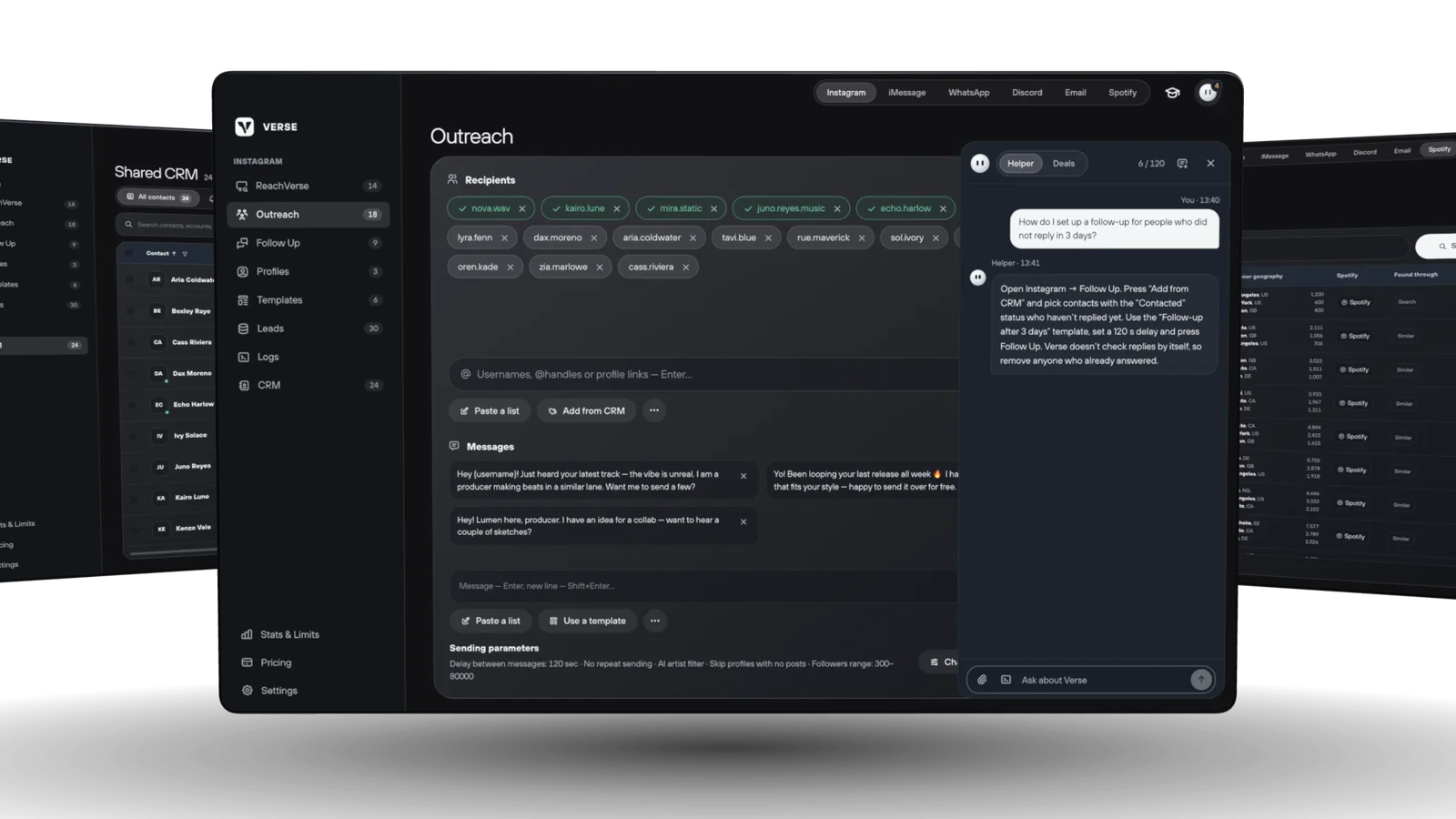
How Verse works.
Five simple steps. Verse remembers where you are with each artist.
- 01Find
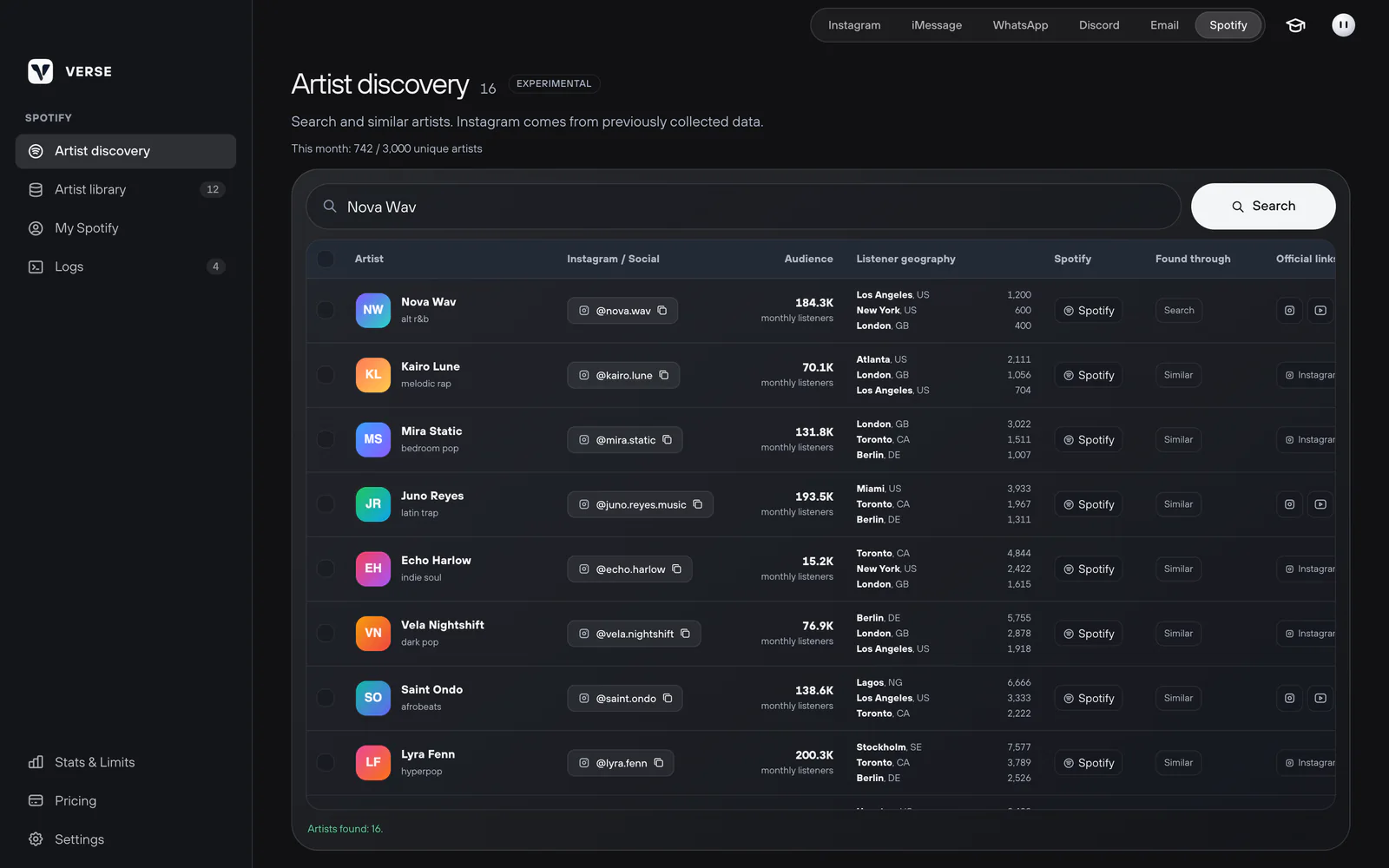
Find artists who fit your music
Add Instagram pages you like: blogs, playlists, other artists. Verse looks through their posts and finds new artists. It saves them to a list with their email and phone, if the profile shows them.
- Keep only artists, or producers too
- Choose how many followers they should have
- On Spotify, see listeners per month, their cities and the artist's Instagram
- 02Send
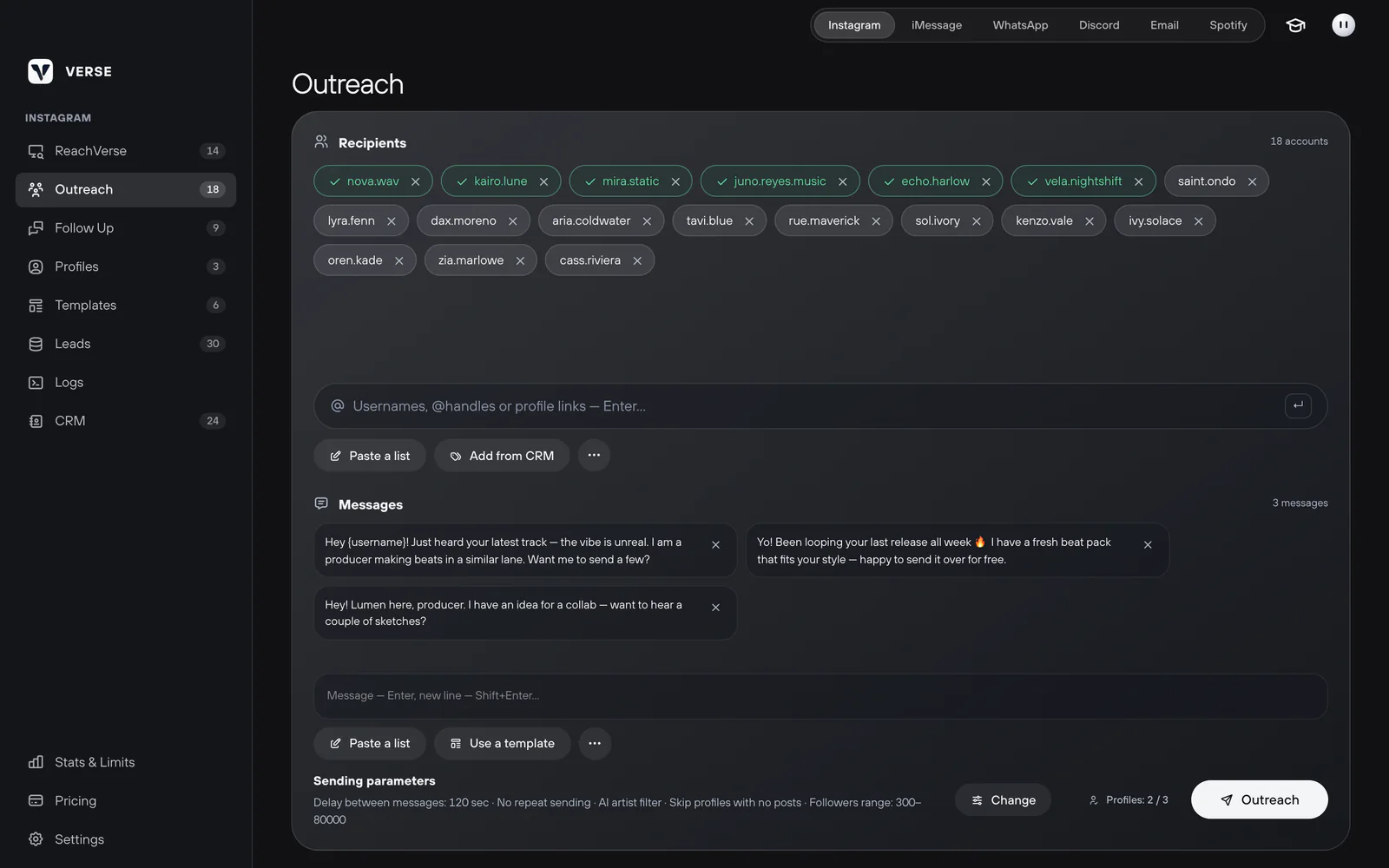
Send the first messages
Add the artists and write 2–3 versions of your message. Each artist gets one version at random. Verse types like a person and waits between messages. A message counts as sent only after Instagram confirms it.
- Choose the pause between messages: from 5 seconds to 1 hour
- Verse does not write to the same person twice
- Add {username} and Verse puts the artist's username into the text
- 03Write again
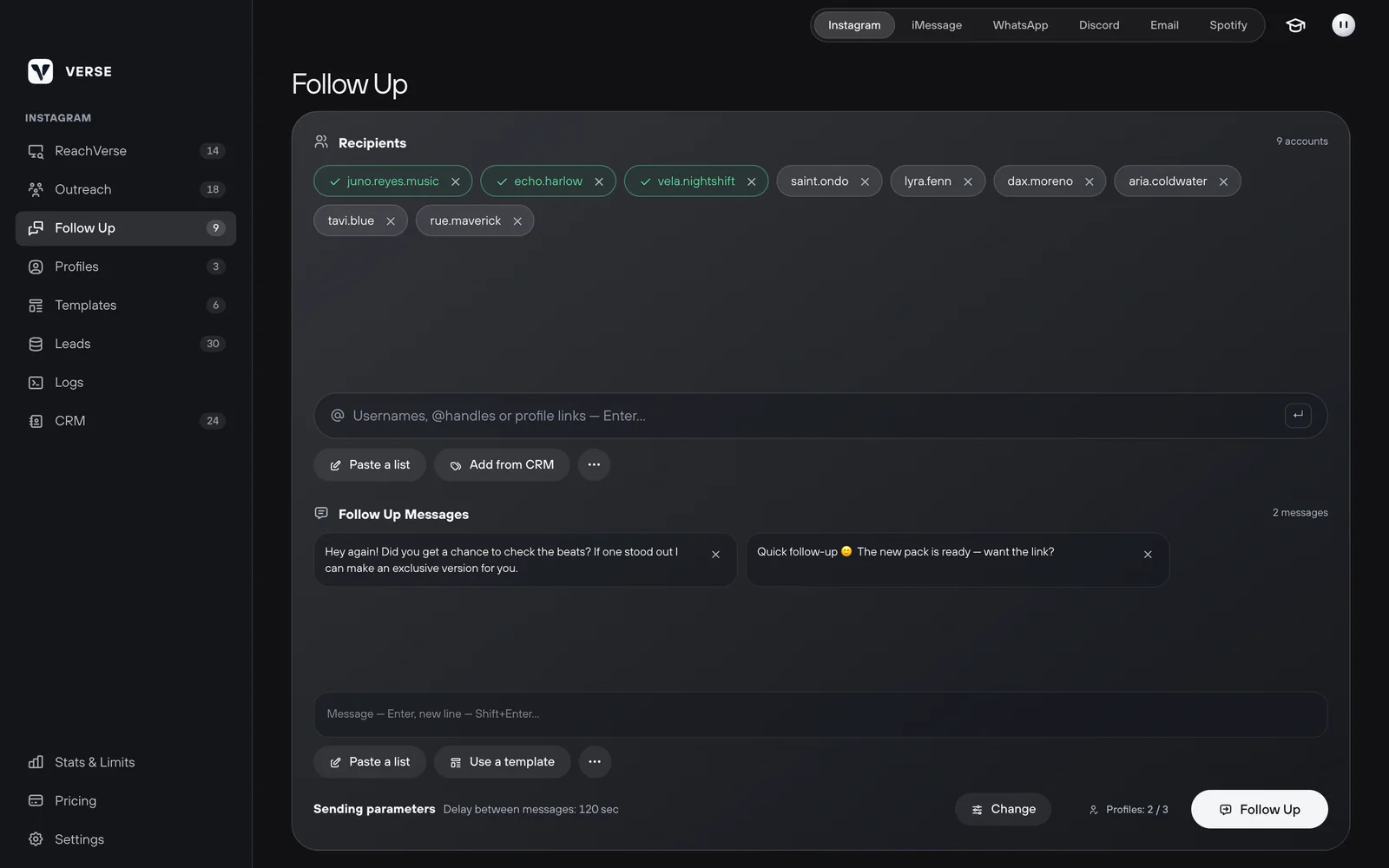
Write again to artists who did not answer
Make a separate list for a second message. Verse opens each chat in Direct and sends it. You decide who gets it. The contact list shows who needs a reply today.
- A separate list and separate texts for second messages
- A next step and a date for every artist
- Reminders in the app or on your computer
- 04Deals
See every deal and every dollar
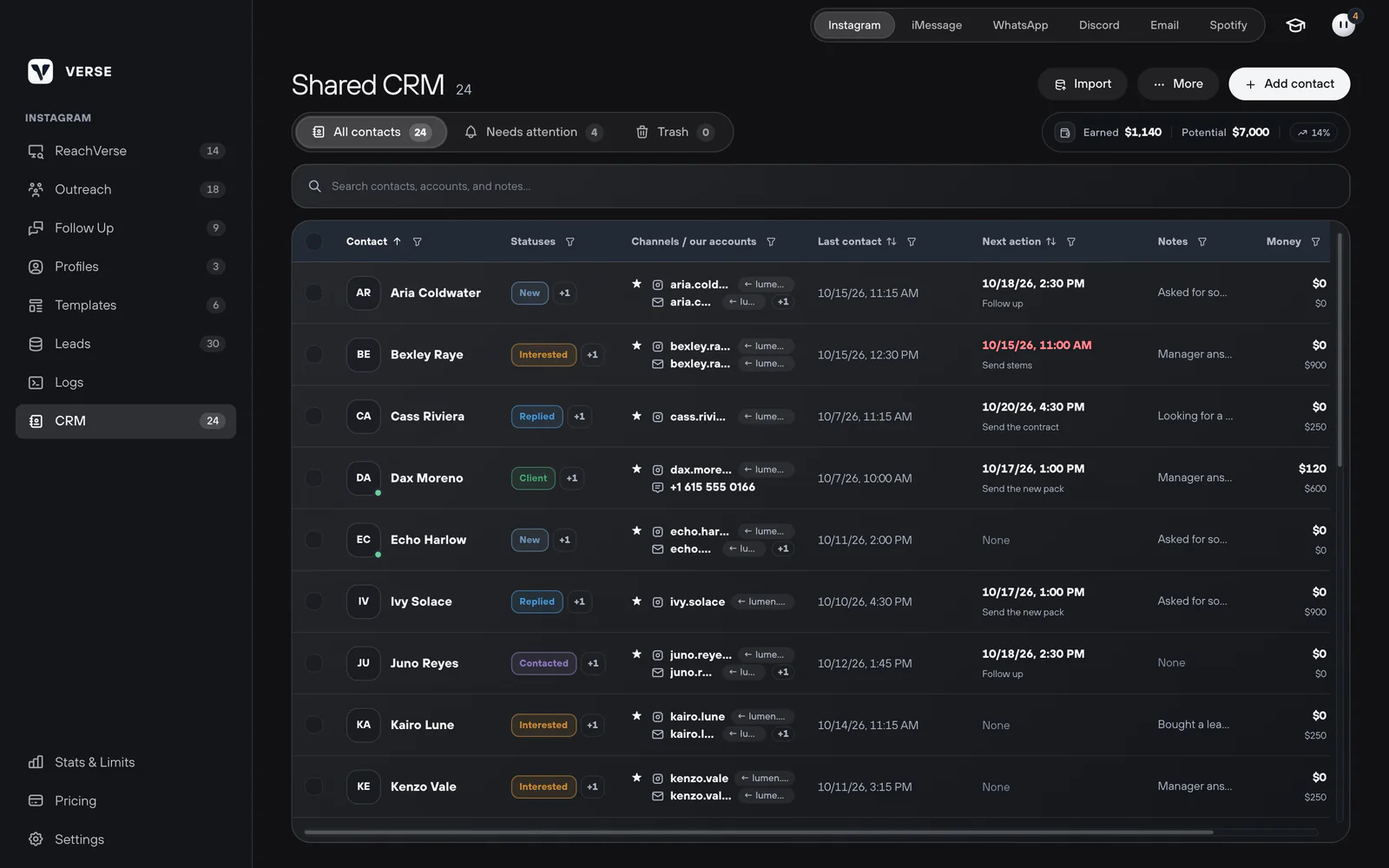
The contact list (CRM) is one table with all your artists. For each one you see the chats, status, last message, next step and notes. The Money column shows what an artist paid and what they may still pay.
- Your own statuses, for example New, Interested, Client
- Import and export Excel or CSV files
- Send messages to the artists you pick from the list (Basic plan and up)
- 05Reply
Get help with your reply
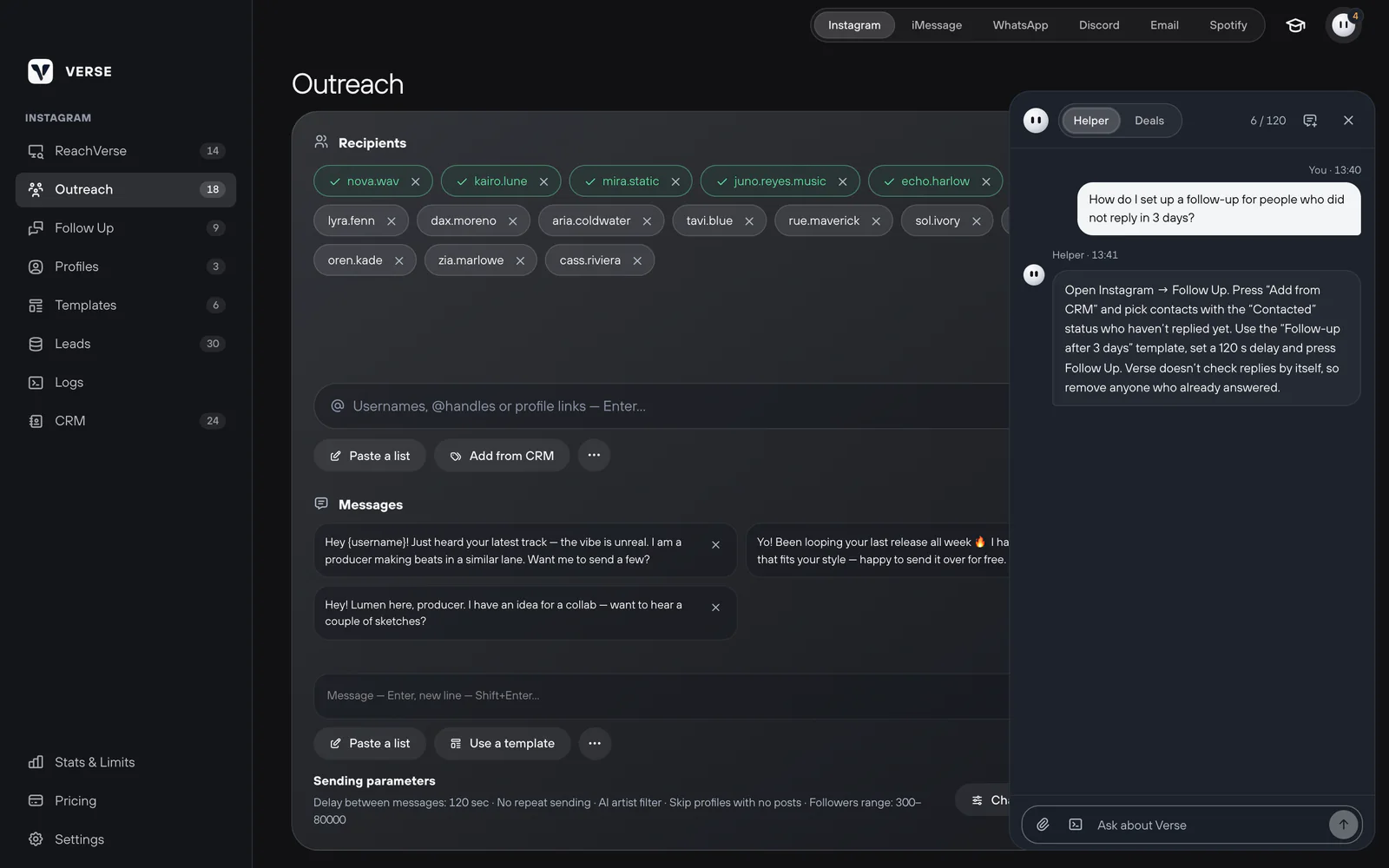
Paste a screenshot of the chat into the assistant. It explains what the artist wants and suggests a reply. You can change it. The assistant can also show you how any part of Verse works.
- Up to 4 screenshots at once
- Nothing changes in your list until you press Run
- How many questions you can ask per day depends on your plan


Write where artists answer.
Some artists answer in Instagram. Others only read texts or email. Verse works with each of them, and all chats go to one list.
Each channel has its own limits. You can see all limits on the prices page.


Send first and second messages from several accounts. Each account works in its own browser with its own internet address (proxy).
- Platform
- macOS, Windows
- Plan
- All plans
See Verse in 40 seconds.
Real Verse screens: finding artists, sending messages, writing again and tracking deals.
Recorded in Verse with test data. Names and numbers are made up.
Safe sending, under your control.
Instagram and other apps have their own rules. Nobody can promise that an account will never be limited. Verse helps you send carefully and shows how much you send.

- 01
Daily limits for each account
Verse counts messages for each account. The count starts again at midnight. When the limit runs out, Verse pauses and keeps your progress.
- 02
48 hours for a new account
A new account must exist for 48 hours before Verse sends from it. Use it by hand during this time.
- 03
A separate browser for each account
Each account has its own browser, cookies and internet address (proxy). You can also use Dolphin Anty, Multilogin or AdsPower.
- 04
Works like a real person
Verse moves the mouse, types with pauses and waits between messages. In the free trial it sends 1 message every 105 seconds at most.
- 05
Every step is saved
The log shows each step with the time. The Stats & Limits screen shows what you sent today and what is left.
- 06
Your data stays with you
Your contacts, list and history are kept on your computer. You can make a backup copy in Settings.
Free for 7 days, then from $15 a month.
Every plan has the contact list, Spotify search, email and WhatsApp. Bigger plans add more accounts, iMessage, Discord and higher limits.
7 days free with small limits. No card needed. Pay for a year and get 2 months free.
Compare plansQuestions before you start.
Help center
Simple step-by-step guides for every part of Verse.
- Install Verse and start the free trial
- Add your Instagram account
- Send your first messages on Instagram
- iMessage on Windows with an iPhone
Which computers does Verse work on?
Mac (Apple Silicon and Intel) and Windows 10 or 11. WhatsApp works on both. On Windows, iMessage goes through your iPhone.
What is in the free trial?
One Instagram account and small limits in every channel. For example, 10 messages a day on Instagram and 50 emails. It is enough to set up Verse and send your first messages. No card needed.
Can my Instagram account get blocked?
Nobody can promise it won't. Verse sends slowly, counts limits for each account and waits 48 hours with new accounts. Write to artists who may really like your beats, and don't send too much.
Does Verse stop writing when an artist answers?
You choose who gets a second message. Remove artists who already answered from the list. The contact list shows who answered and what to do next.
Where is my data stored?
On your computer. Your contacts, list and history stay there. You can make a backup copy in Settings. Verse only checks your license online.
How do I pay and cancel?
Pay on the website or in the Verse Telegram bot. You can pay for a month or a year. Read the refund rules for details.